

Azimuth

Simplify every part of your aviation operation.

Explore connected tools for scheduling, maintenance, training and billing, built to help your team work more efficiently and keep aircraft flying.

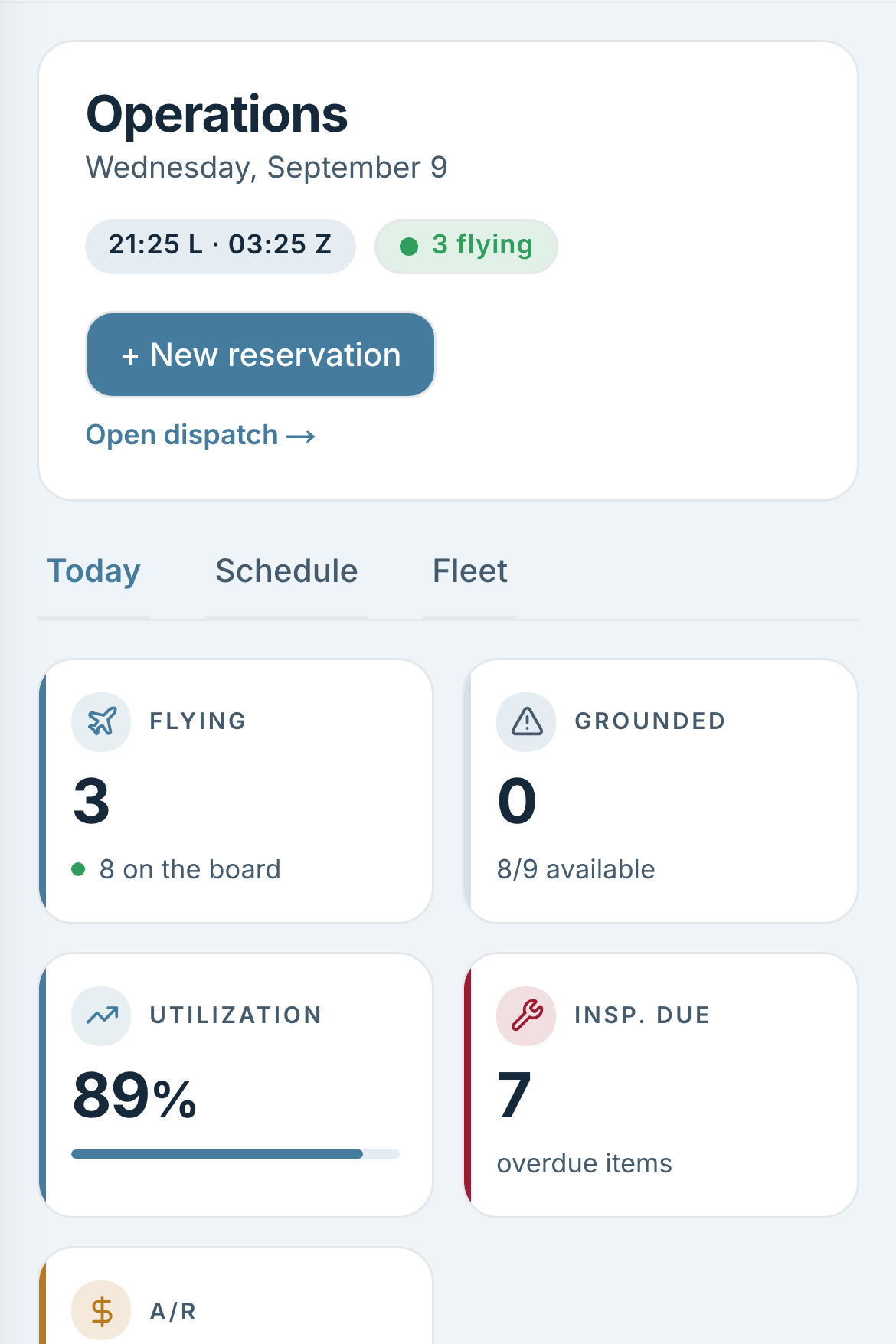
Streamline your flight operations.

Bring scheduling, aircraft availability and dispatch together, so your team can manage the day with fewer steps.

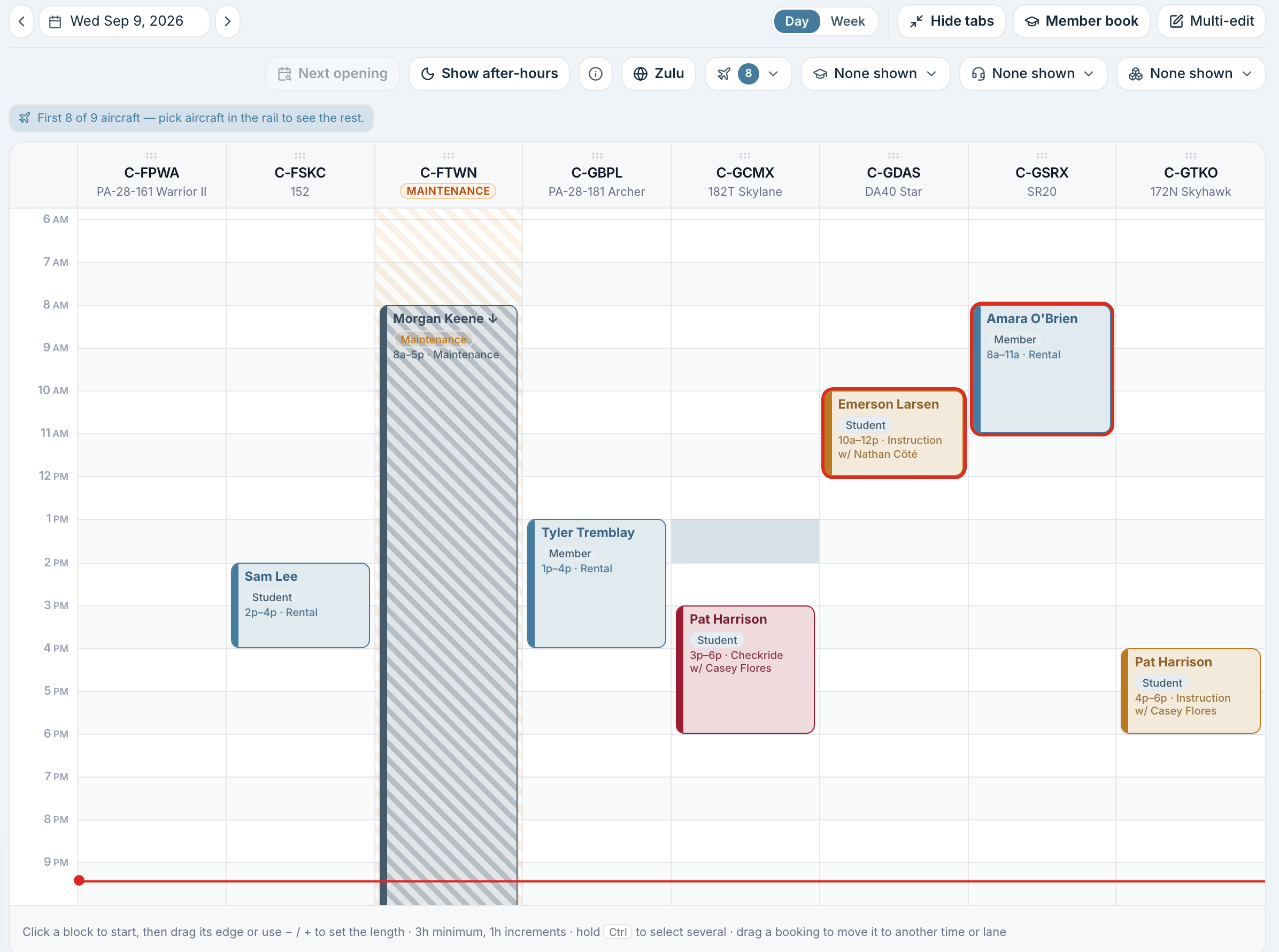
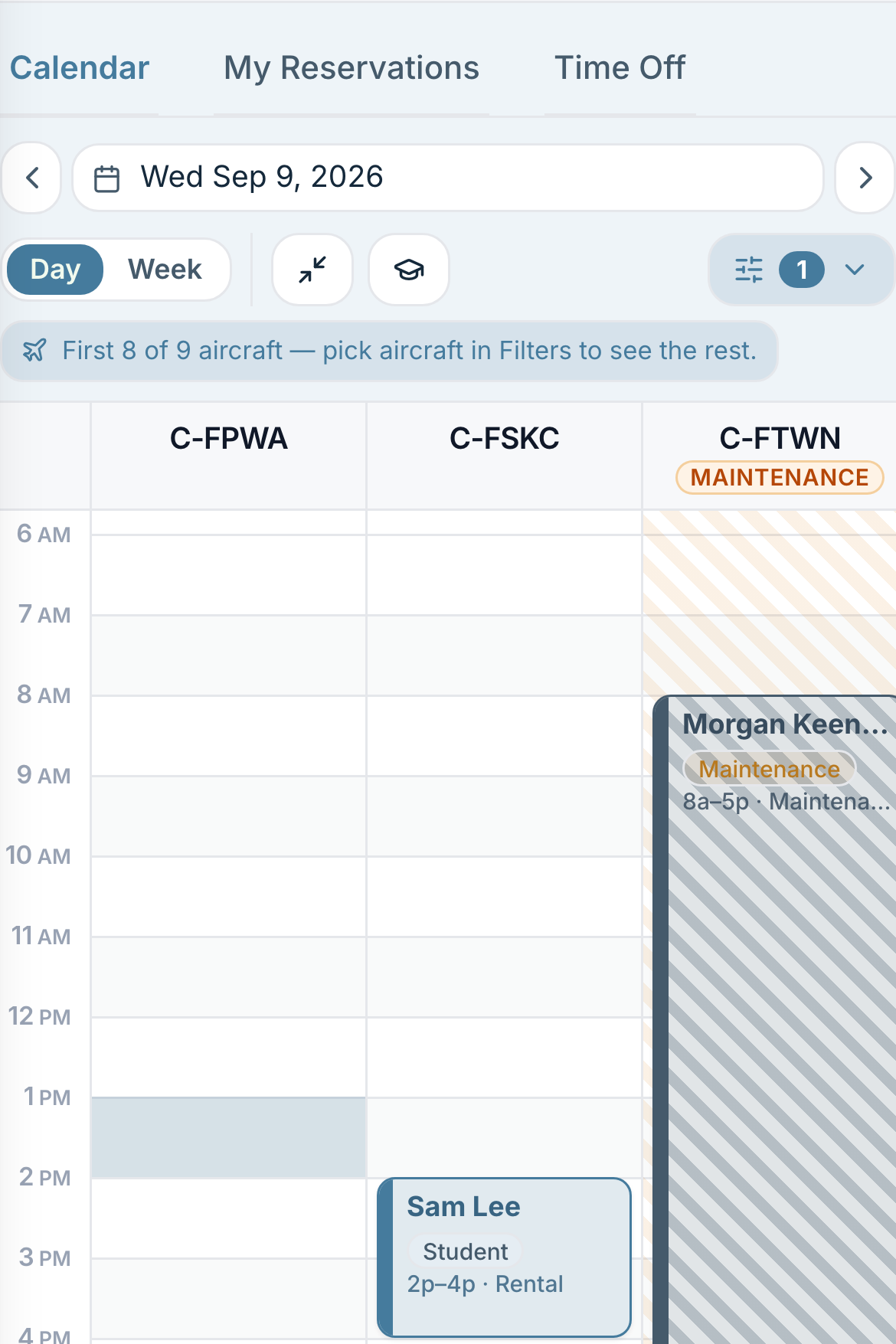
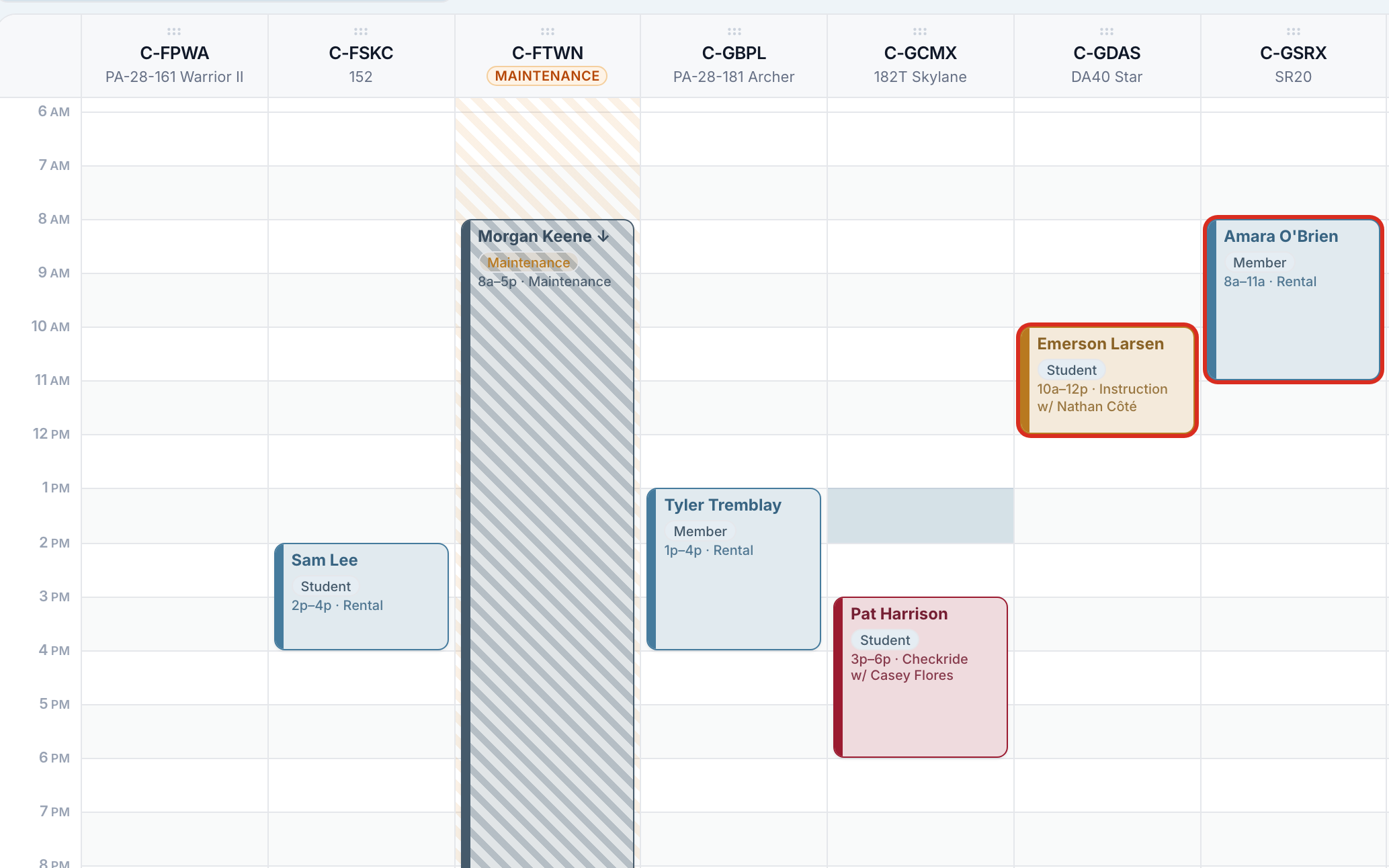
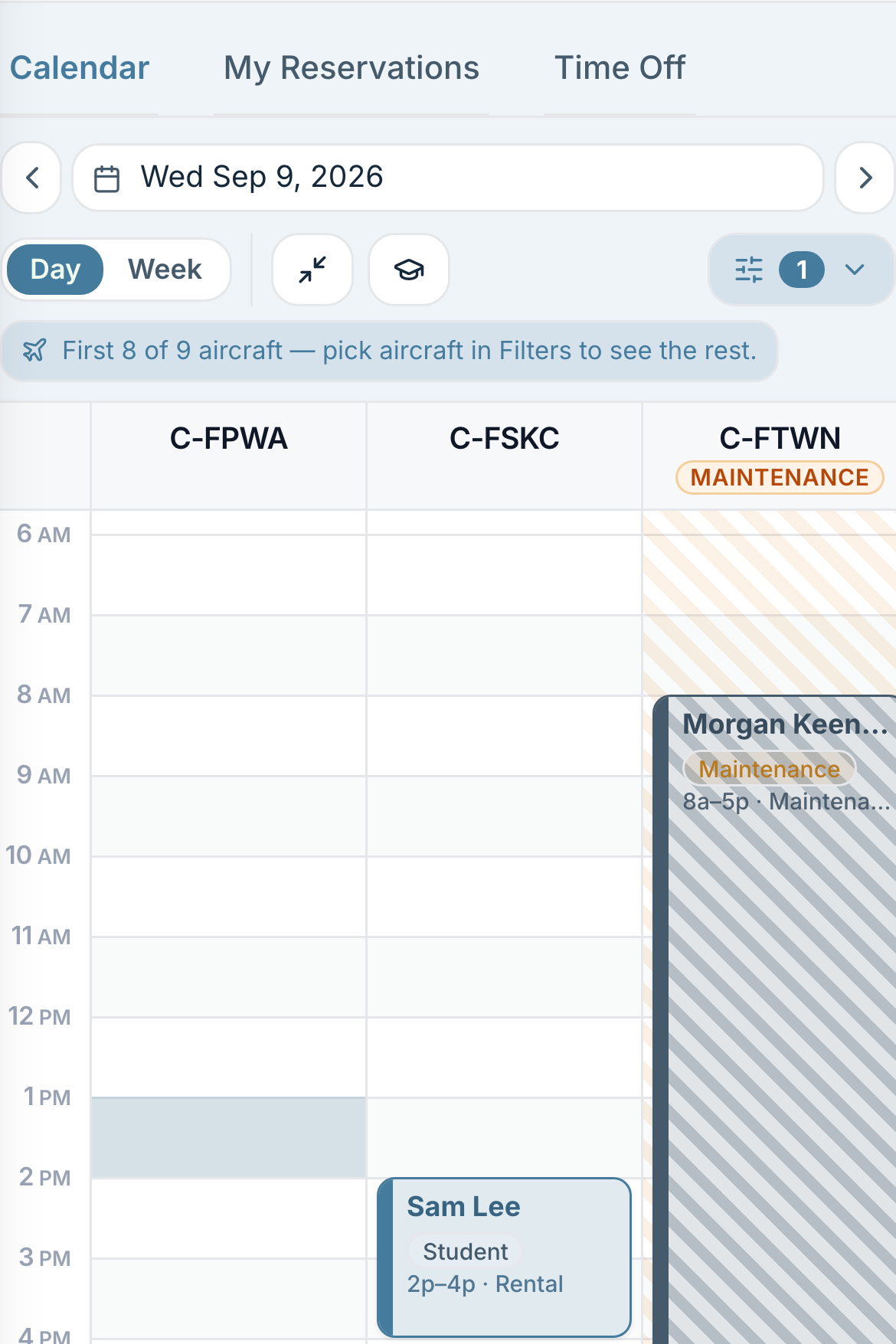
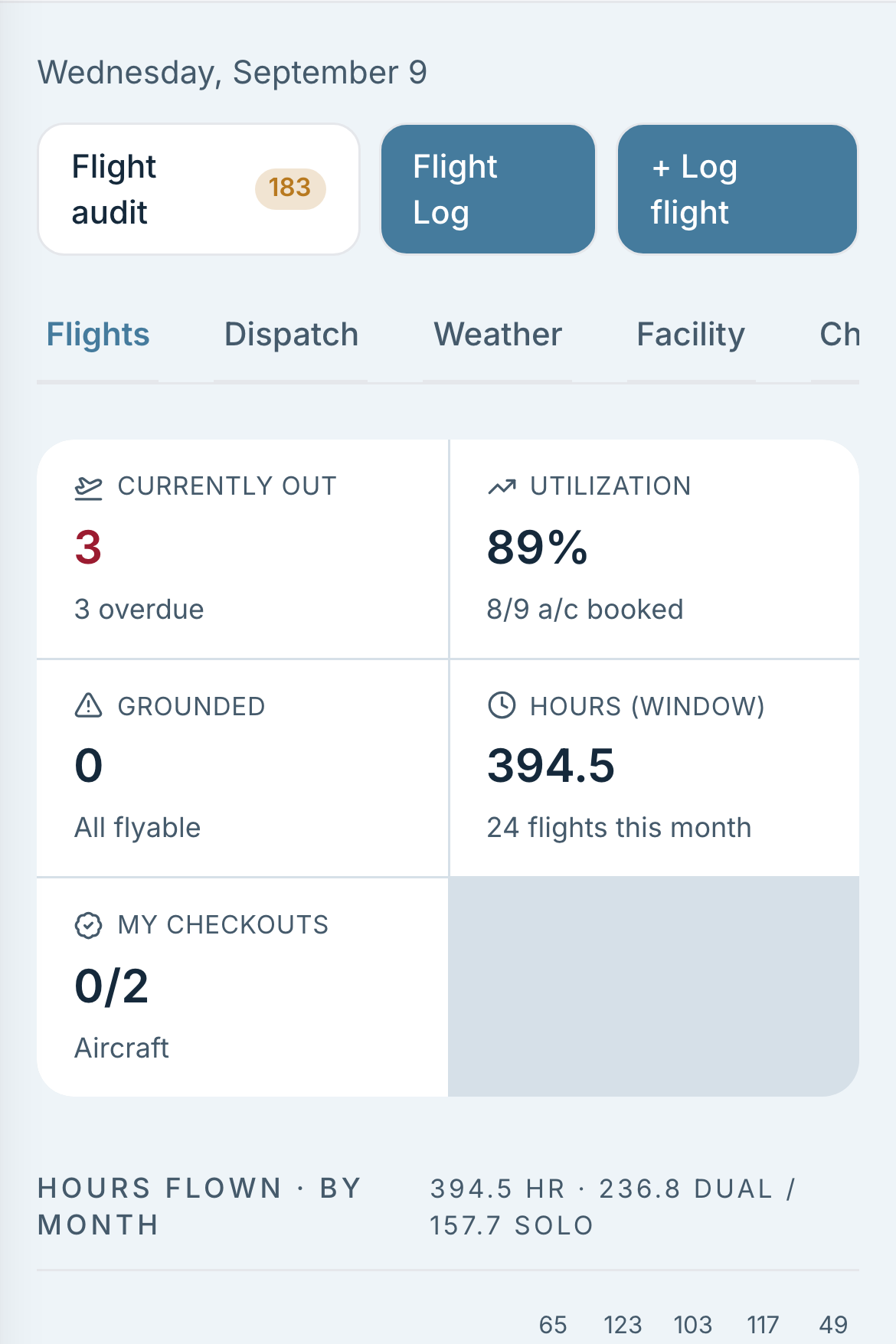
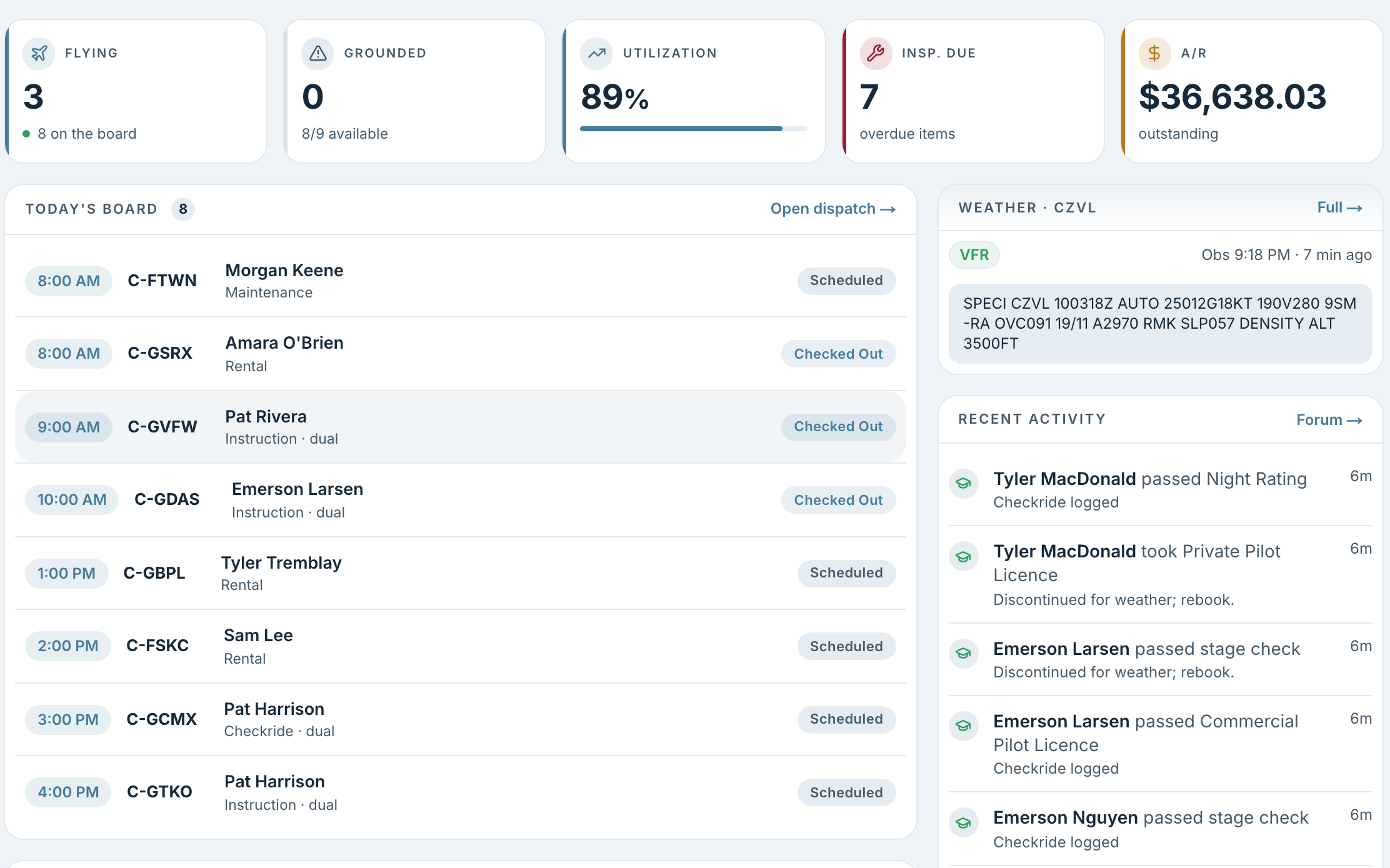
The day board, with one lane per aircraft and bookings drawn against the hours.
Scheduling & availabilityPlan resources, instructor hours and multiple bookings.
  • Plan your aircraft, people and spaces

    View aircraft, instructors, dispatchers, simulators and rooms in separate lanes, by day or week.

  • See when your instructors are available

    Instructors publish their teaching hours directly on the schedule.

  • Book a week of lessons in one go

    Schedule a week of lessons or several aircraft in one pass.

  • Adjust your schedule and know who to contact

    Plan changes on a working copy, apply them together, and get a contact list with phone numbers for everyone affected.

Booking rules & permissionsControl eligibility, staff overrides and booking privacy.
  • Give members a clear answer before they book

    Check eligibility before accepting a booking, with a clear reason if it cannot go ahead.

  • Apply your club's booking rules

    Choose which checks apply and, separately, whether staff can override each one.

  • Know why a booking rule was overridden

    Staff must provide a reason for an override, and that reason is saved.

  • Apply the right checks for each lesson

    Booking checks account for whether a student is flying solo or with an instructor.

  • Choose which booking details members can see

    Everyone can see that a slot is busy. Your club decides whether names, purposes and notes are visible.

Dispatch & flight trackingTrack aircraft out, complete flights and correct mistakes.
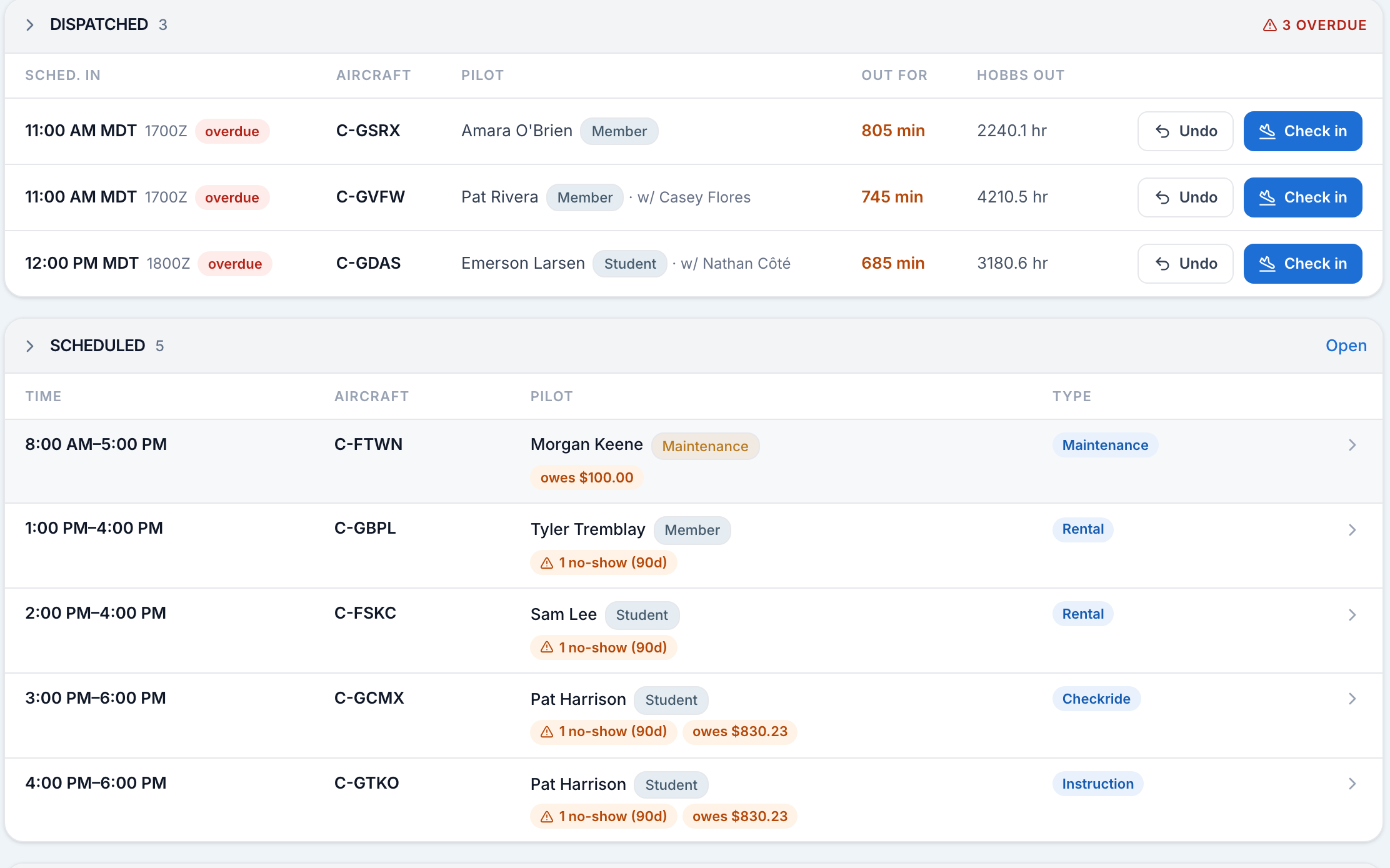
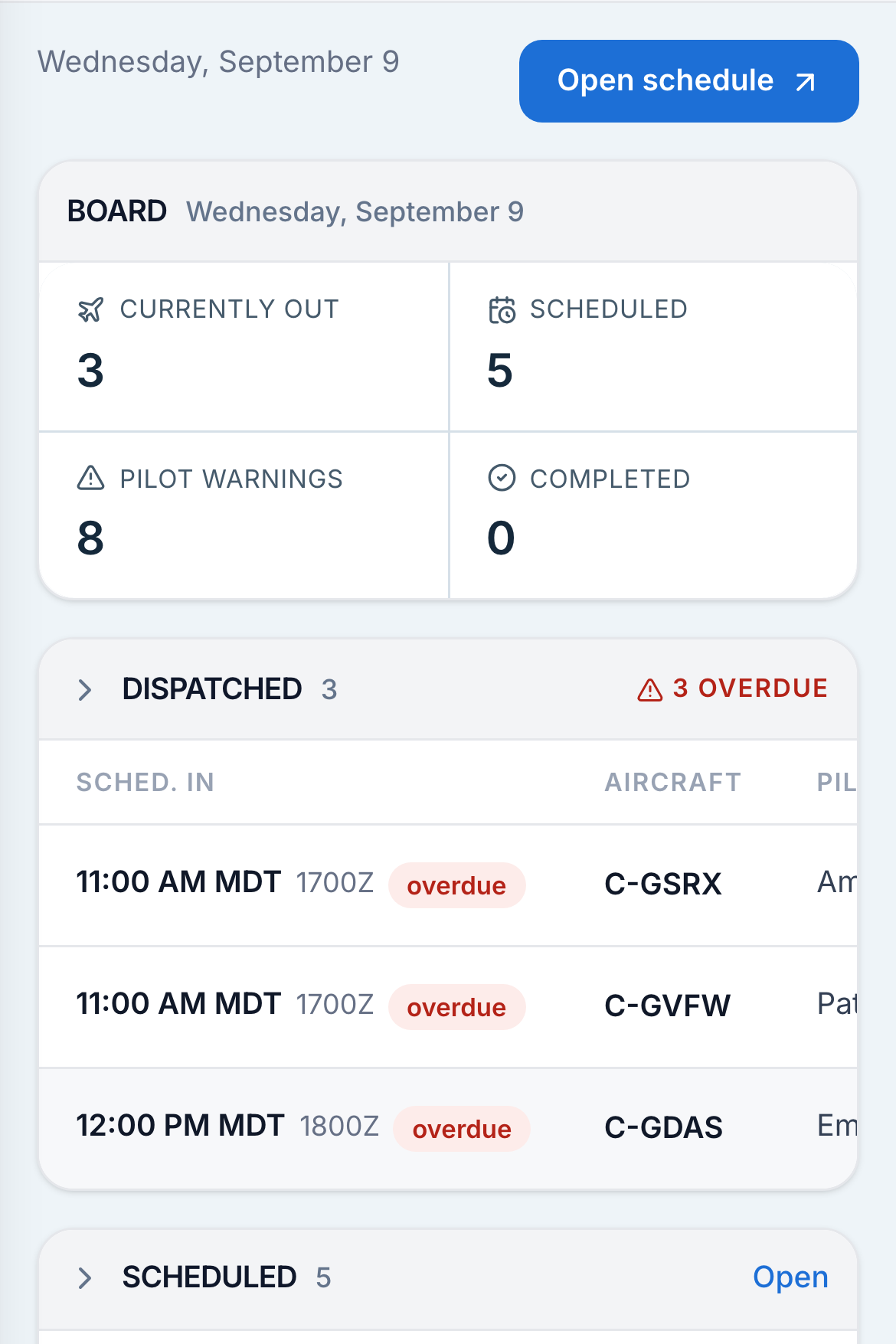
  • See which aircraft are flying and who's flying them

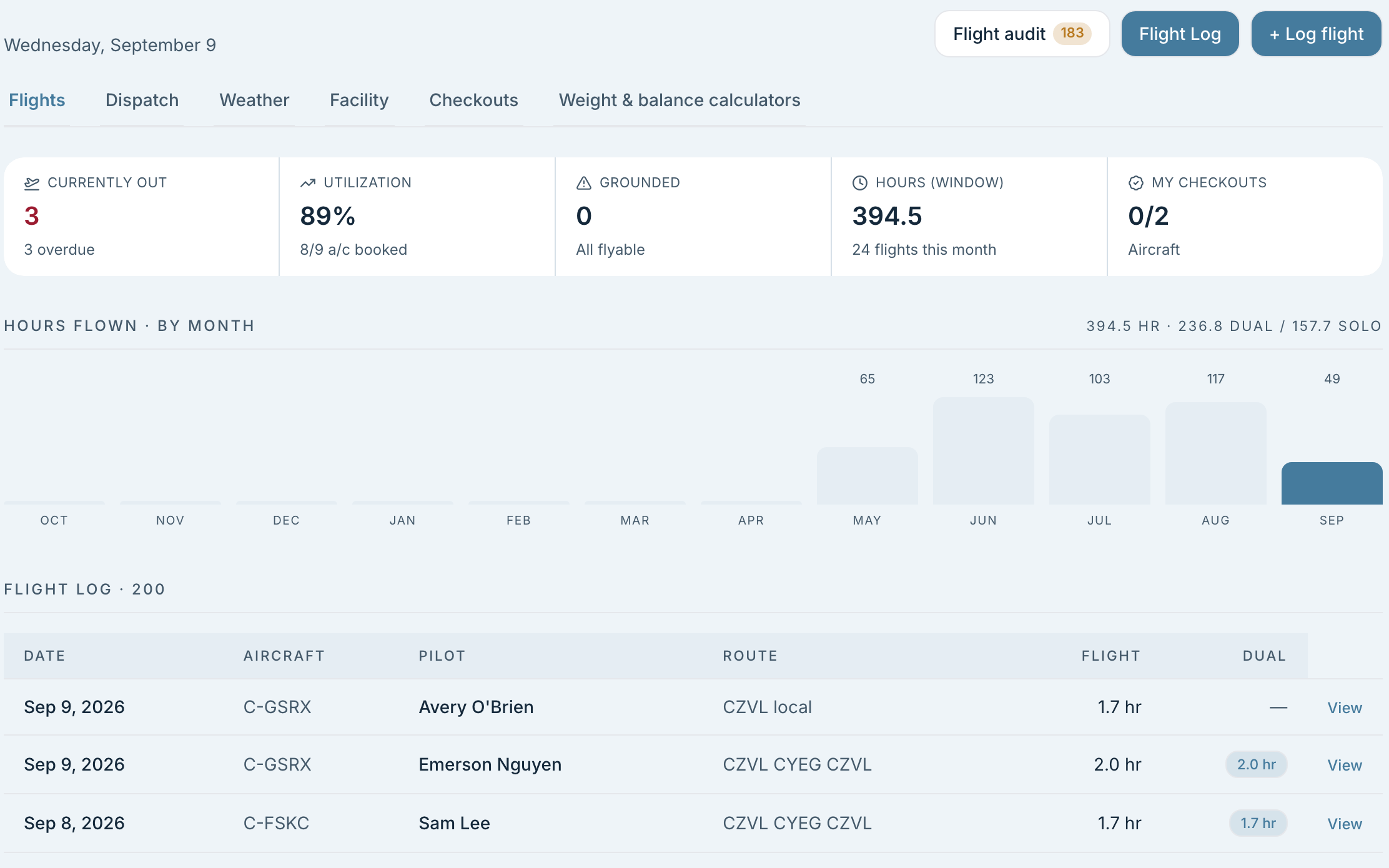
    Keep checked-out aircraft on the board until they return, even across days.

  • Keep flights moving from departure to return

    Capture meter readings at check-out. Check-in closes the flight and releases the unused reservation time.

  • Keep track of your guests

    Add guest passengers to discovery and introduction bookings and keep their names with the flight record.

  • Correct check-out and check-in mistakes

    Reverse either action when you need to make a correction.

Aircraft safety, from inspection to grounding.

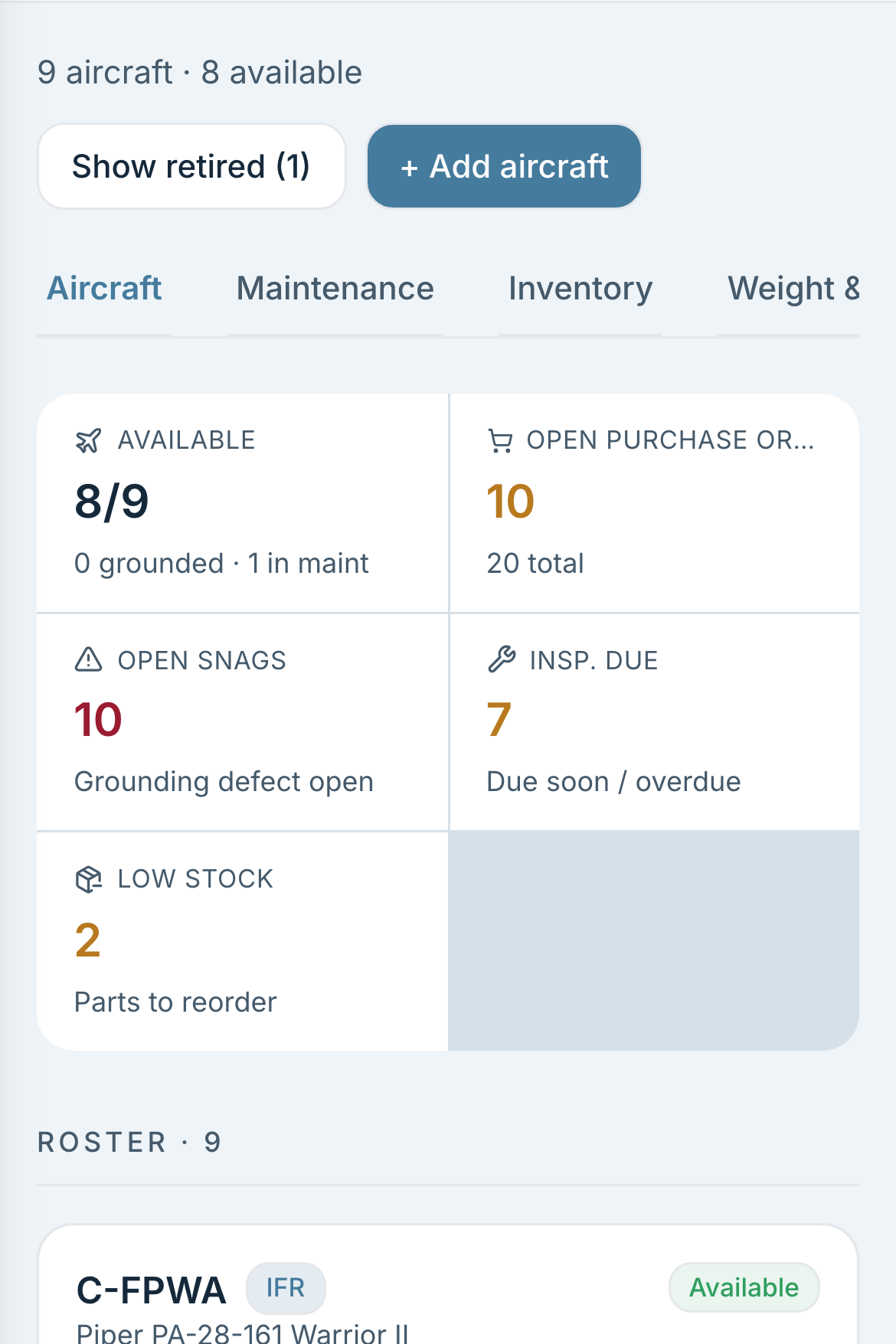
Track aircraft health by Hobbs, tach, air time and calendar dates. Each inspection, directive and component shows what is due, when and why, with the shop and the desk reading the same maintenance records.

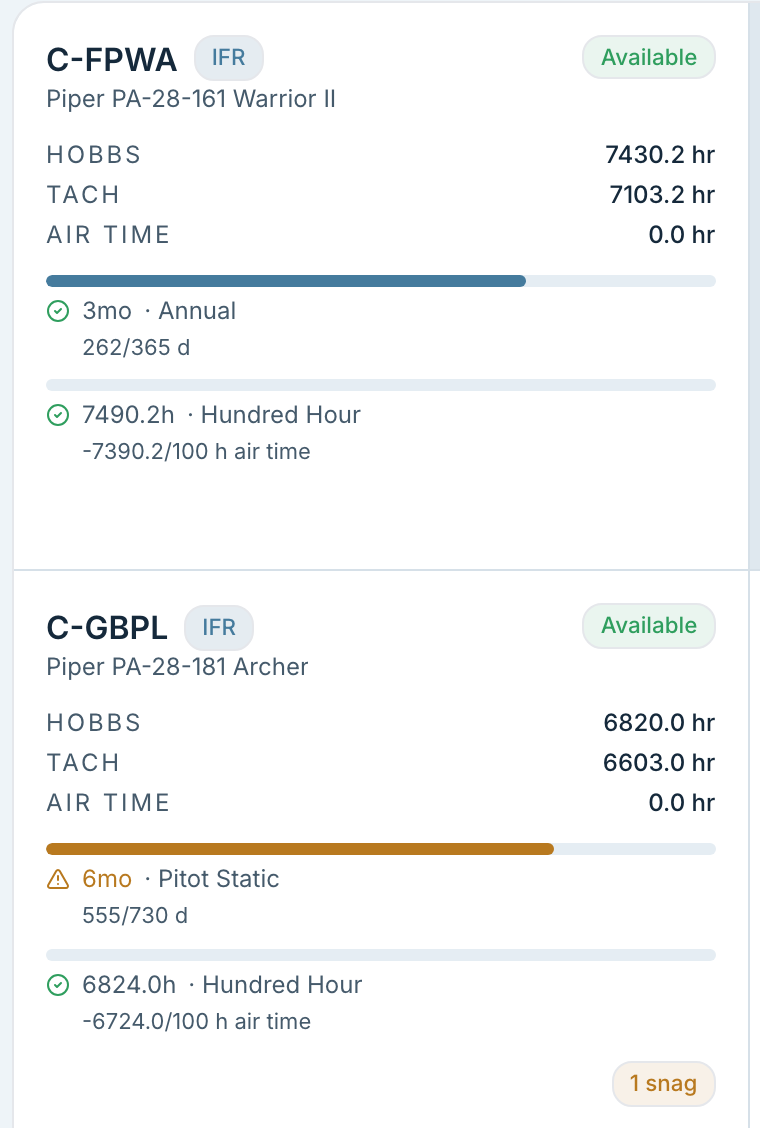
Two aircraft cards, each with its meters, its calendar countdown and its hour countdown.
  • Hobbs, tach and air time on every tail, moved by the flights themselves.
  • Inspections tracked on air time, Hobbs, tach, or the calendar alone.
  • Two countdowns per aircraft: the next calendar item and the next hour item, with the arithmetic under the bar.
  • Airworthiness directives kept beside them, one-time or recurring.
  • Track component lifetimes, with time since overhaul and time remaining until the next overhaul.
  • An extension recorded with the reason and who granted it, good for that cycle only.
  • Enable automatic maintenance blocking to prevent bookings and check-out when an item is overdue. Your club decides whether authorized staff can override the check.
  • Maintenance can authorize an extension or complete the work and release the aircraft. Updated due limits flow through to booking and dispatch checks.
  • A warning at the desk when something falls due within the hours you set, which never stops the flight.
  • Snags filed by any member, from the aircraft or from the flight they just landed.
  • A grounding snag takes the tail off the line at once.
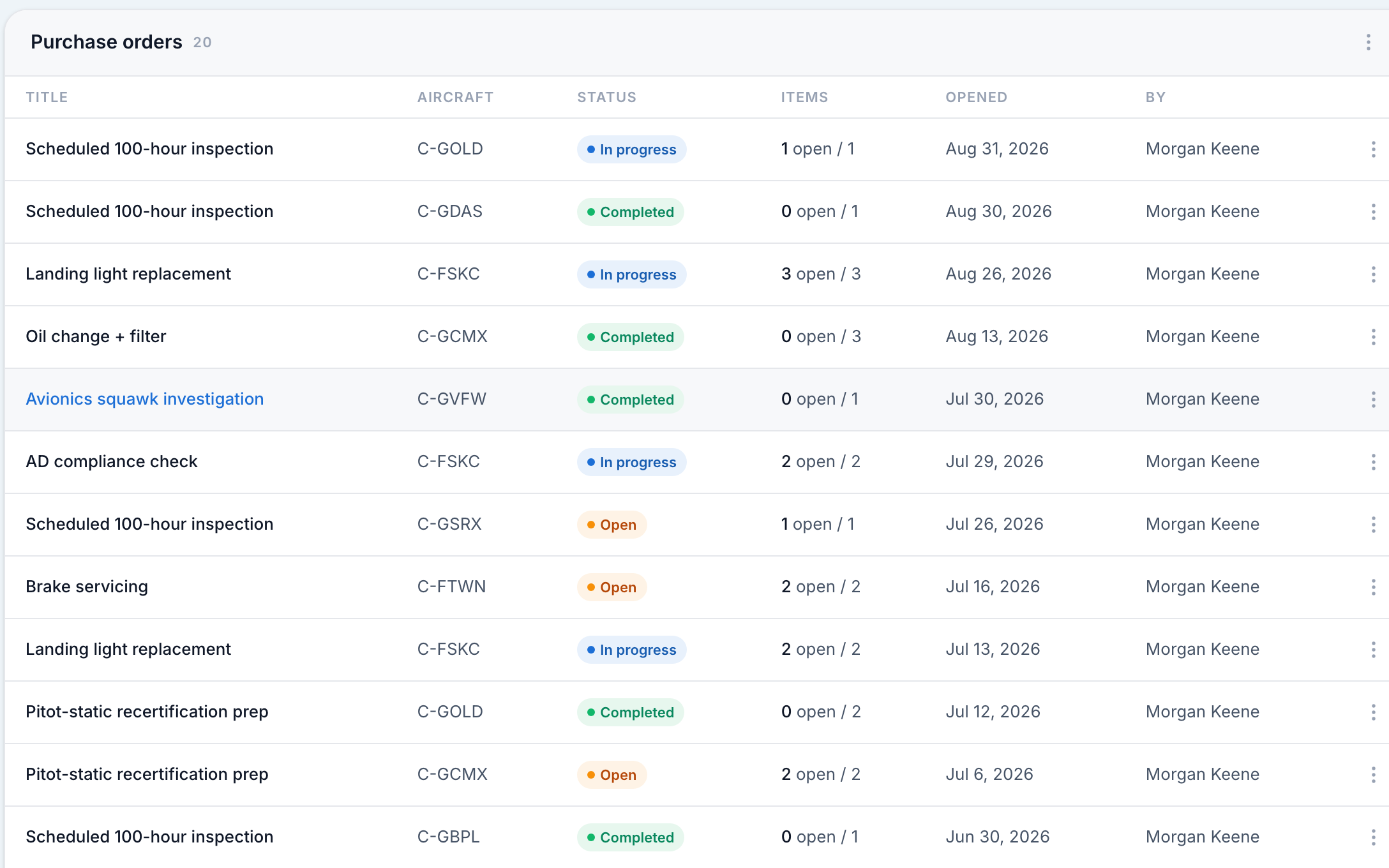
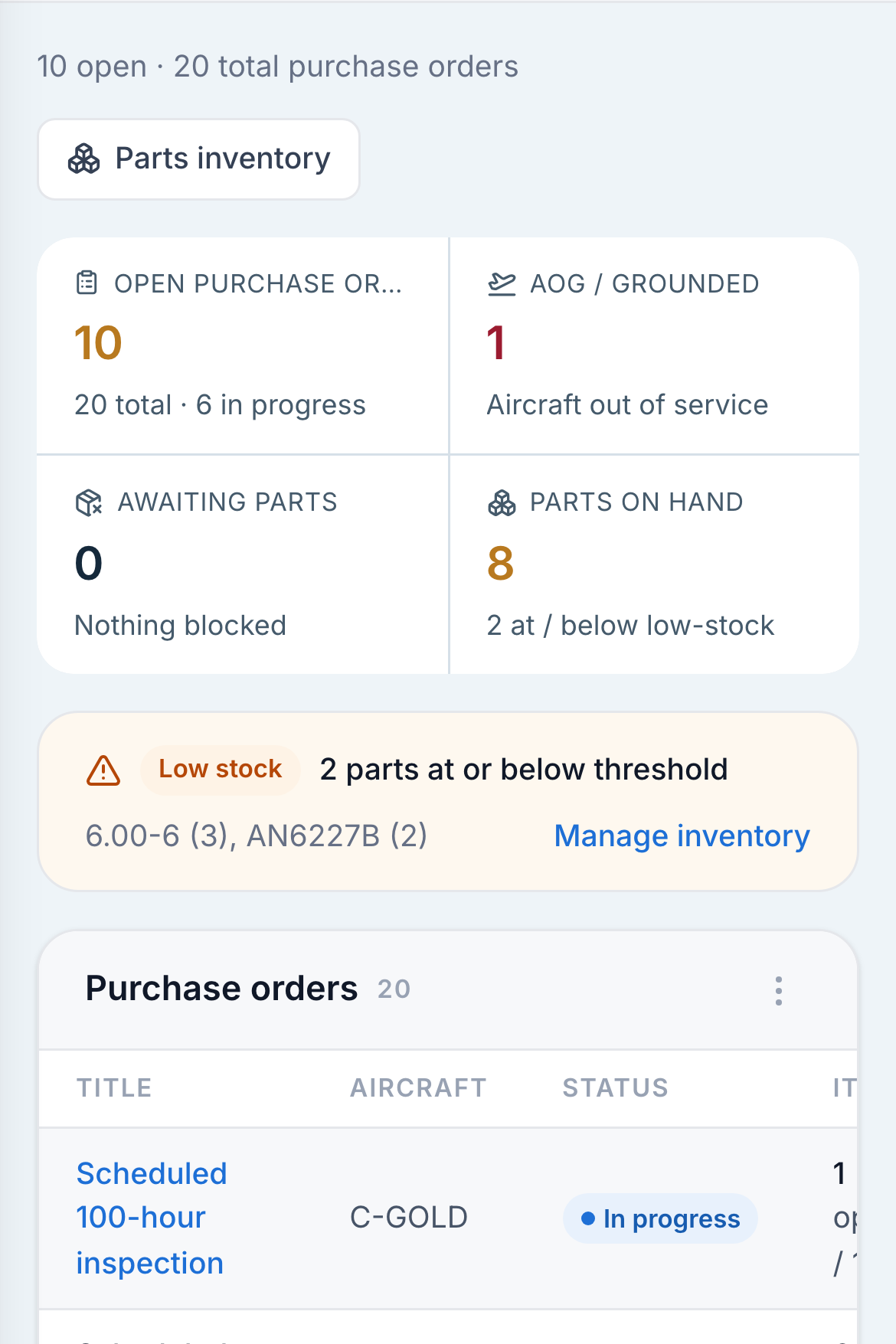
  • Create, share and export purchase orders directly from the maintenance suite. Send them to internal departments or external service providers in a standard format.
  • The aircraft is booked off the line for the visit, and comes back when the order clears.

Predictive Maintenance

Coming soon. Combine related service tasks to help reduce repeat visits and aircraft downtime.

Explore on the horizon

Your students know exactly how far along they are, and so do you.

Your syllabus, your lessons, and the items an instructor grades in the cockpit. A lesson hangs off the booking it is flown on, is graded there, and is signed off there.

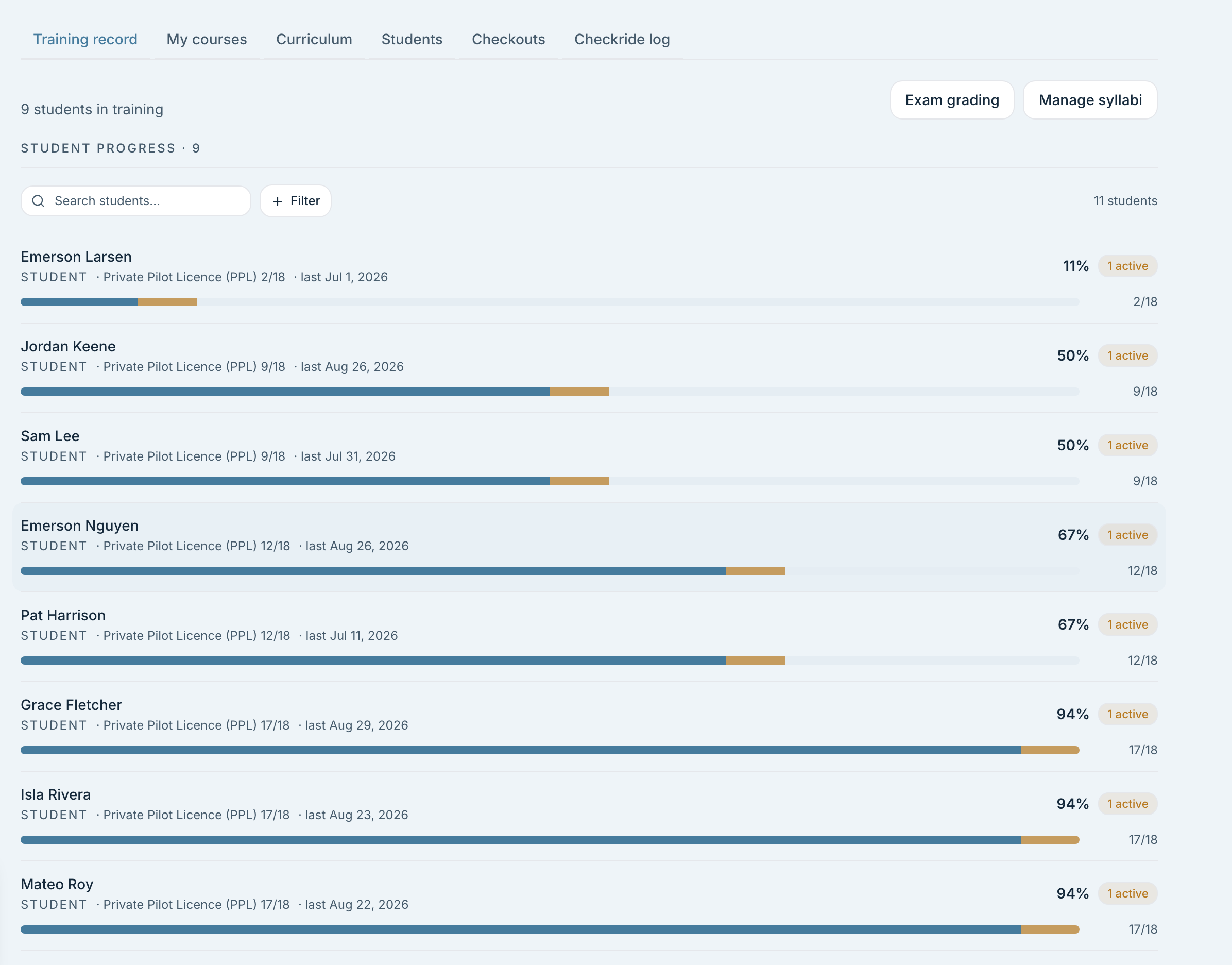
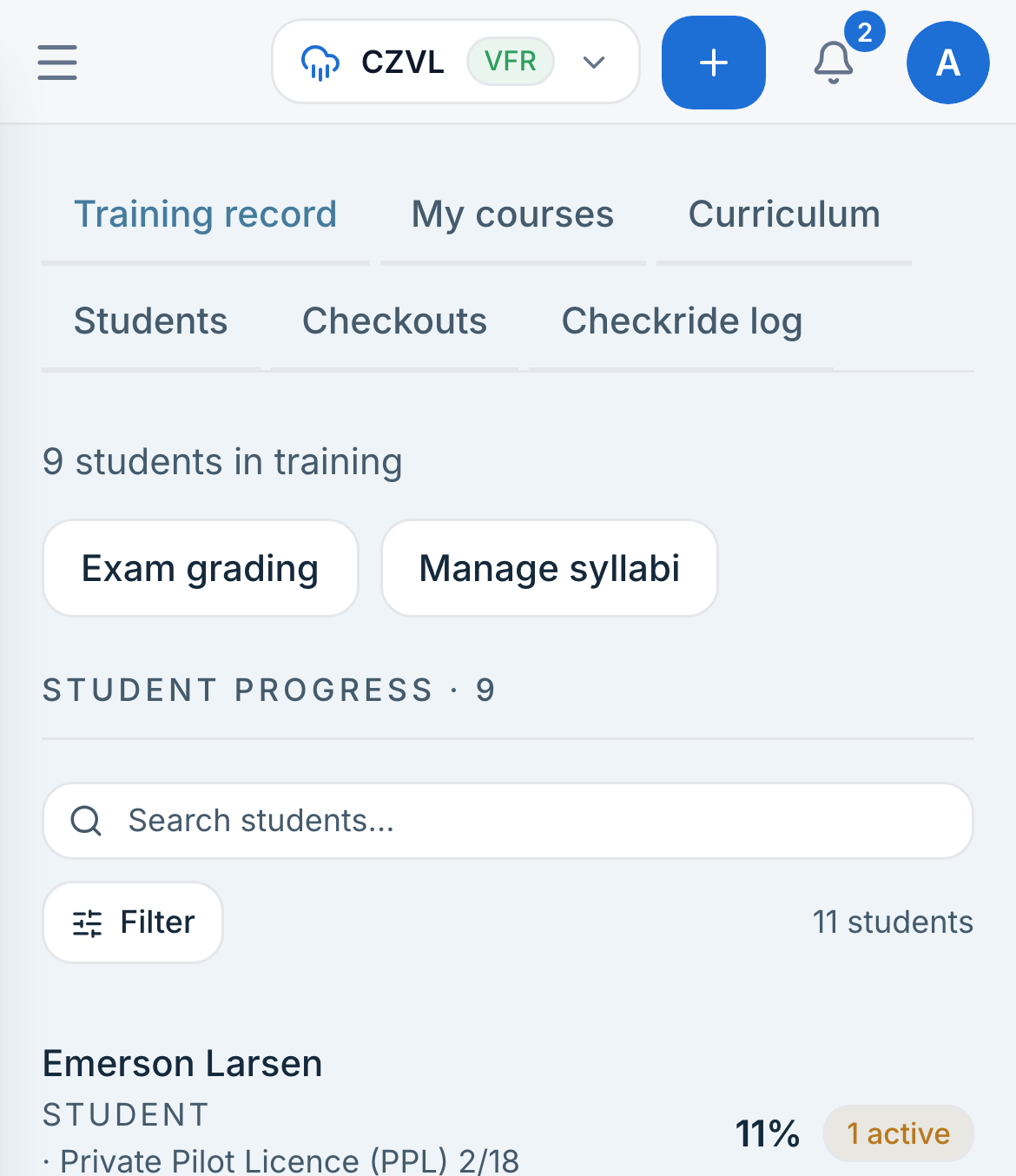
The student roster, each row carrying a course fraction and a progress bar.
Lessons & gradingBuild your syllabus and record each lesson from booking to sign-off.
  • Teach with your club's own syllabus

    Your own syllabi, with the lessons and the items graded inside them.

  • Open the right lesson from the booking

    A lesson attached to the booking and opened as a gradesheet in the aircraft.

  • Give students clear feedback on each lesson

    Each item graded one to four, with a note on the item and a debrief note over the lot.

  • Keep students informed when lessons are signed off

    Sign-off marks the lesson complete on the student's record and tells the student it is ready.

Progress & assessmentsFollow student progress, stage checks and checkride results.
  • See how every student is progressing

    Every student's progress per course, with the roster ordered least complete first.

  • Keep teaching notes within your instructor team

    Private instructor notes on a student that the student never sees.

  • Manage stage checks from booking to result

    Stage checks booked with a check instructor, graded, and recorded as passed, failed or incomplete.

  • Keep each student's checkride history together

    Checkrides recorded with the examiner, the result and the attempt.

  • Understand your students' first-time pass rates

    First-time pass rate over a date range, and per recommending instructor.

Checkouts & instructor hoursManage aircraft qualifications and teaching availability.
  • Guide members through your aircraft checkout process

    Type checkouts: the POH read, an exam your club writes, then an instructor's sign-off.

  • Qualify members across the same aircraft model

    A sign-off checks the member out on the model, not on the one tail they flew.

  • Plan your instructors' availability for the term

    Instructors set the hours they teach a term at a time, and who may book them.

The roster carries what each member holds.

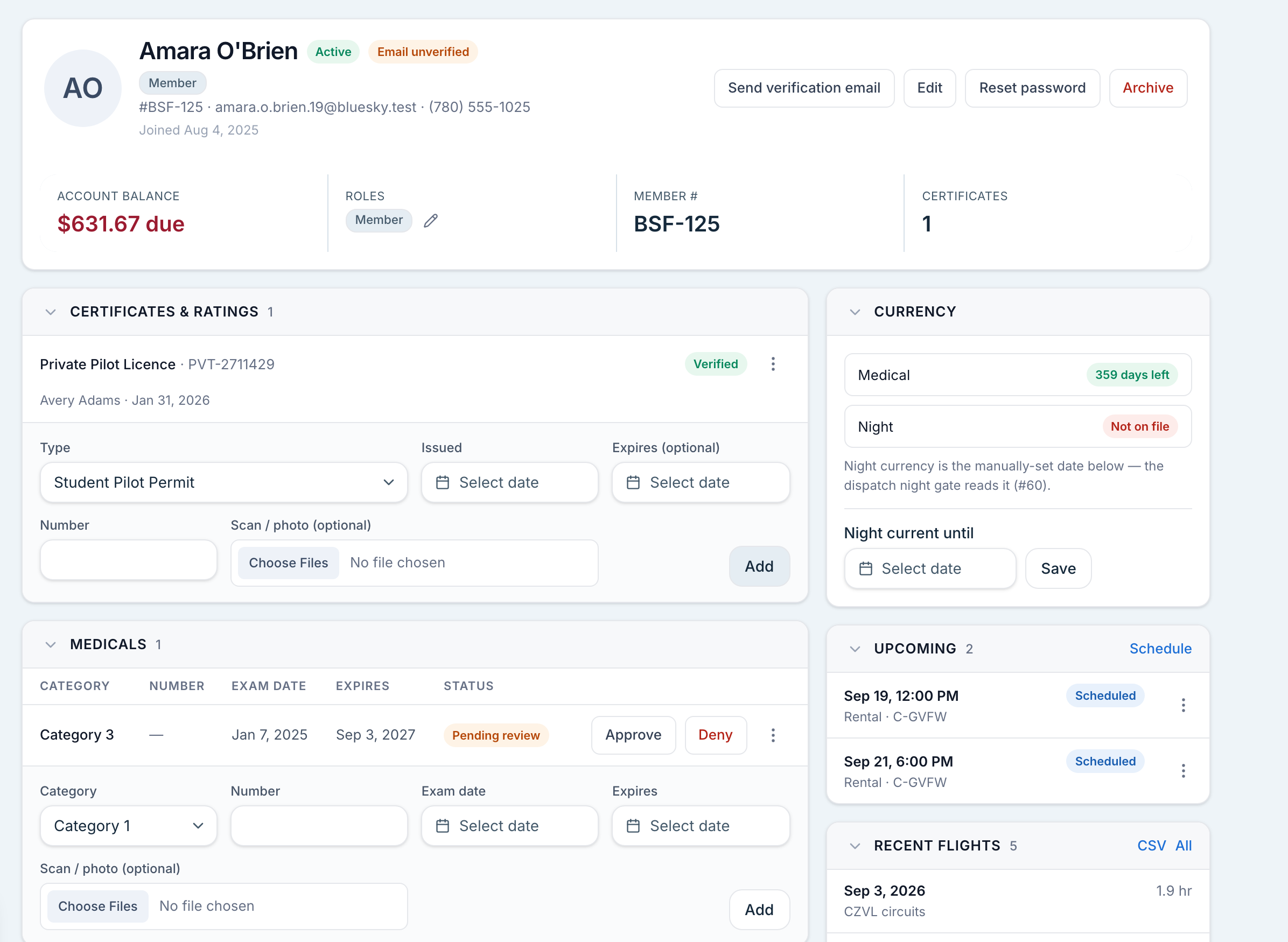
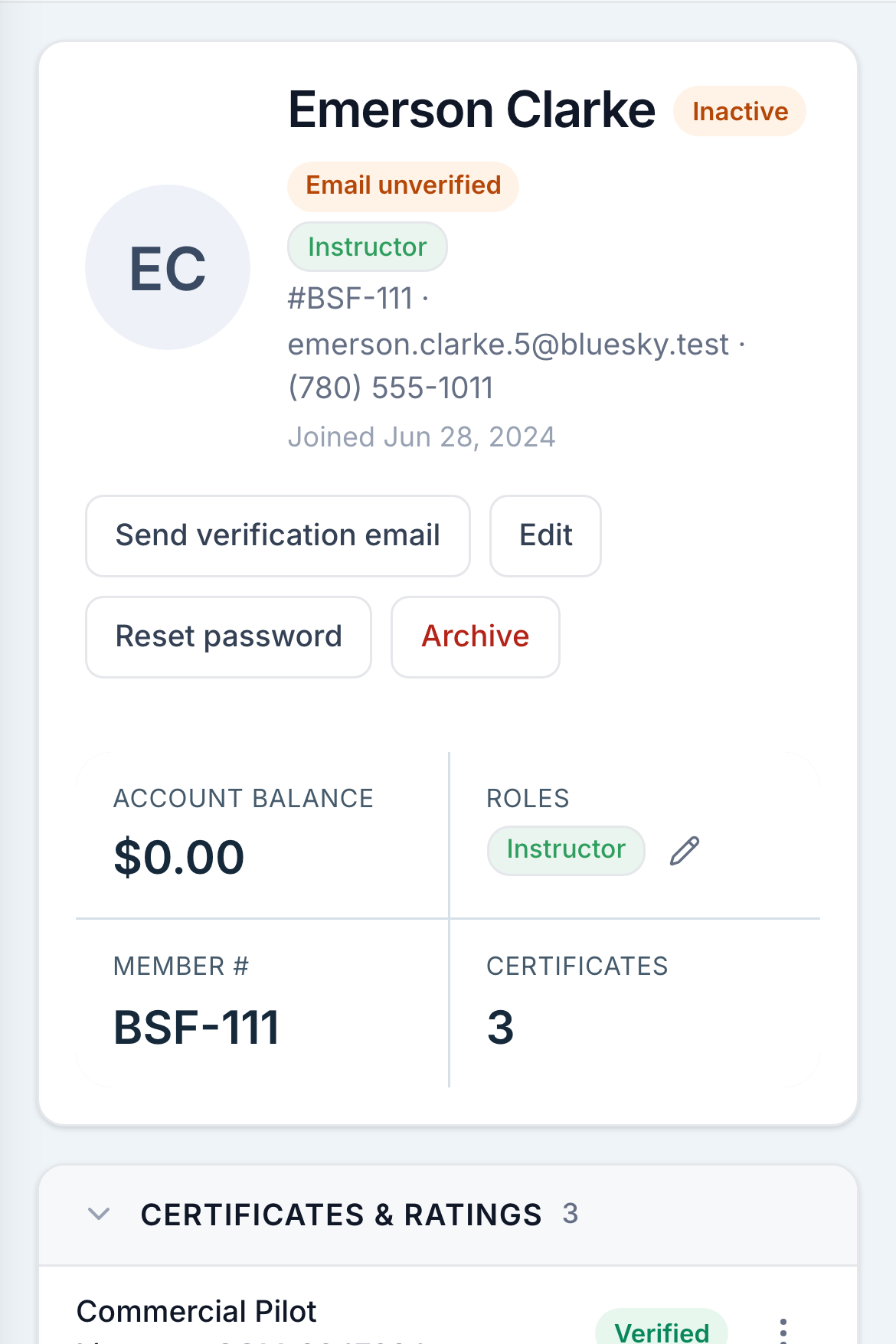
Licences, medicals, endorsements and checkouts sit on the member's file. Members put their own records in, staff check them, and the checks that gate a booking read from that same file.

A member file, with the certificates panel beside the medical and night currency panel.
  • Members add their own licences, medicals and booklet with a photo, and staff approve or deny.
  • A denial carries the reason, and the member is told what it was.
  • A reviewer can fix a transposed digit while approving, instead of refusing it over a typo.
  • Nobody approves their own document, admins included.
  • A licence checked over the desk is recorded as checked over the desk.
  • Endorsements your club names, with how long each lasts and which roles may sign them.
  • Medical and night currency on the file, green, amber or red.
  • A new member is invited and fills in their own record, and staff tick off anything already handled at the counter.
  • Members brought across from your old system sign in with a code to their email, then confirm what came over or say what is wrong.
  • Account notes that come back at the desk until somebody marks them done.
  • Member numbers in your club's own format, prefix and padding included.
  • A member holds as many roles as the job needs.

Scheduled. Flown. Invoiced automatically.

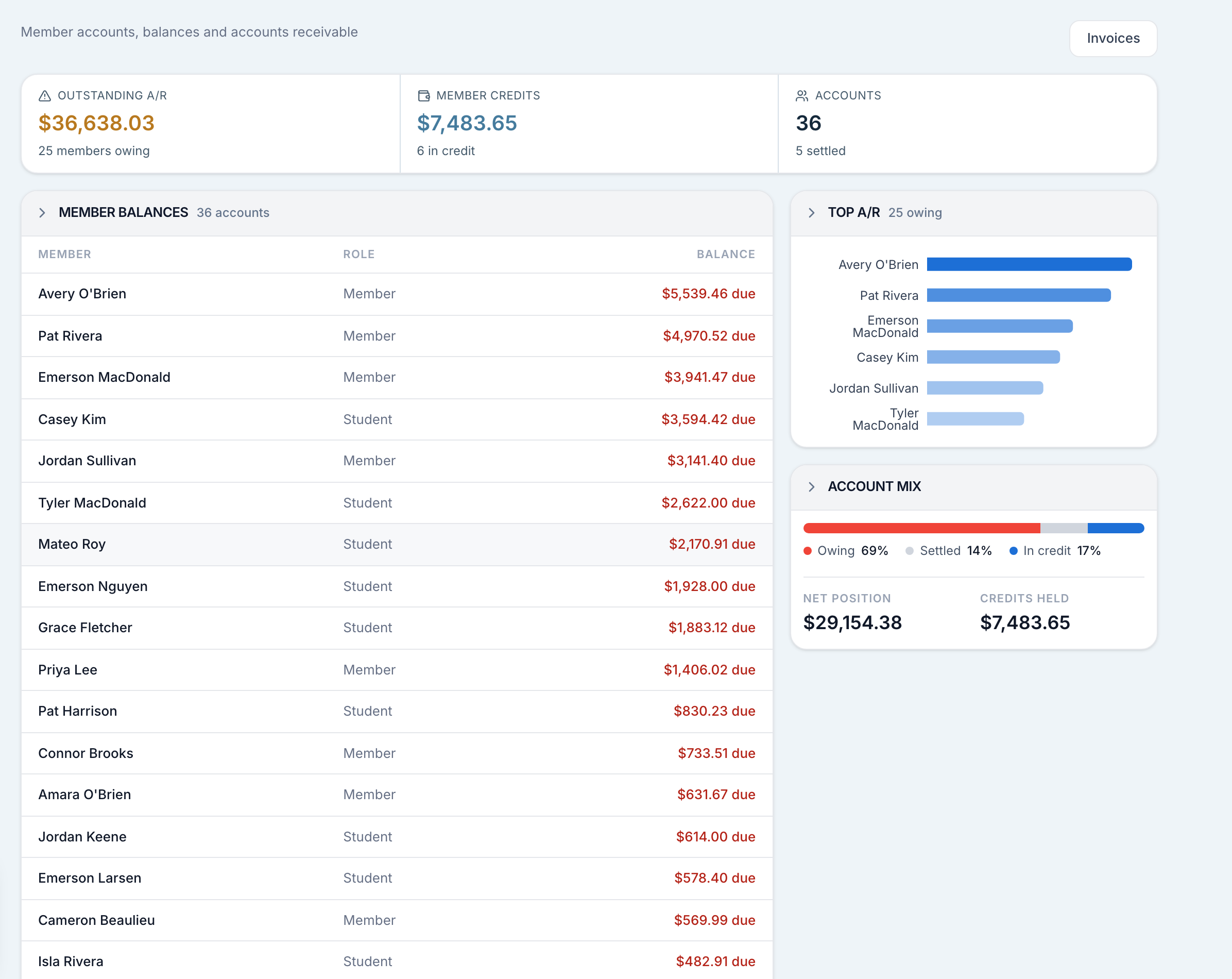
A flight closed out at the desk charges the aircraft and the instructor to the member's account at your rates. Nobody types the figure.

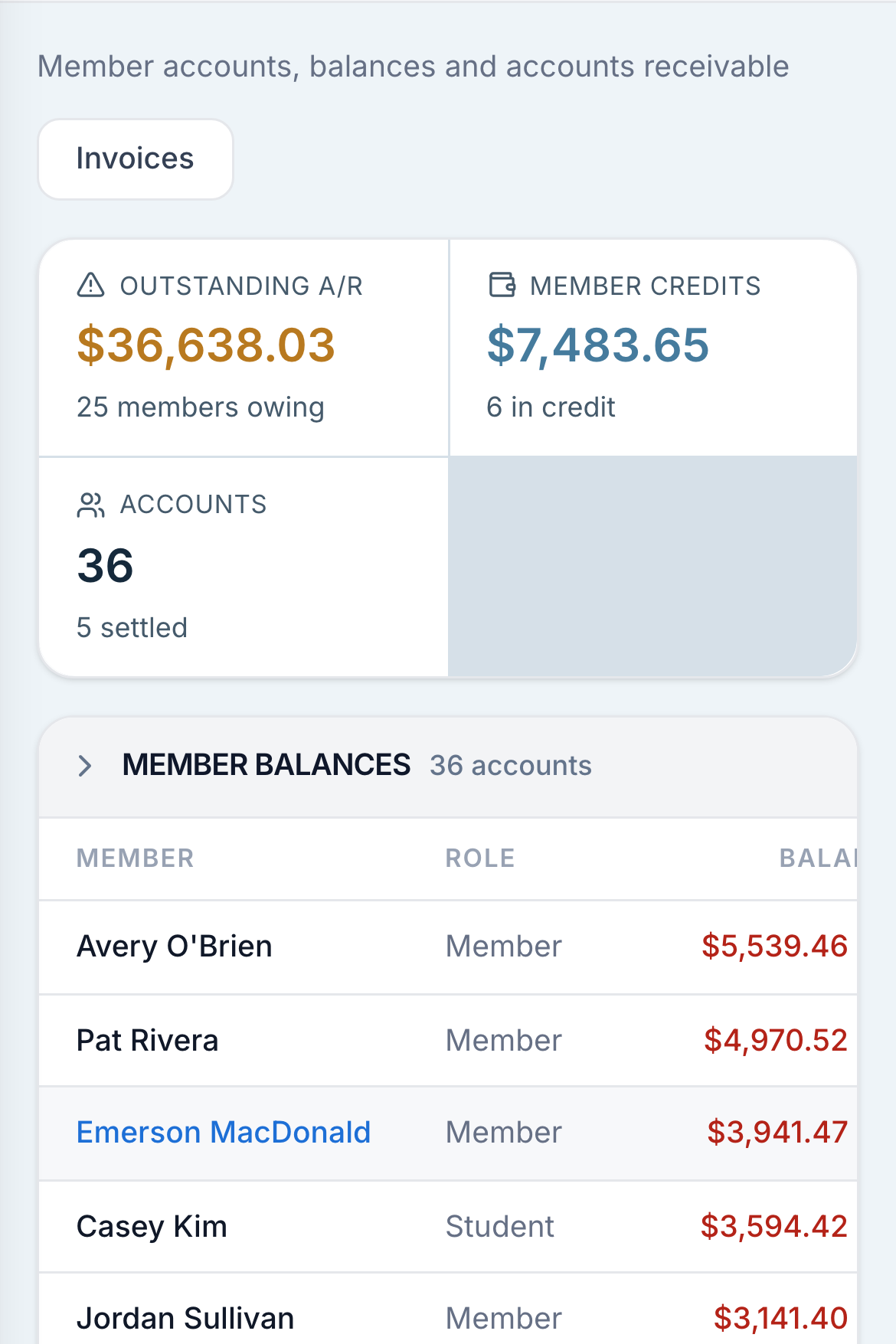
Member accounts, with each member's balance and the club's outstanding total above them.
Flight charges & prepaid creditCalculate rental and instruction charges at your rates.
  • Track your billing and rental hours

    Set each aircraft's rate and bill members for their tracked flight hours.

  • Show students what flying and instruction cost

    Instruction charged as its own line, so a student's statement shows both.

  • Prefer prepaid hours?

    Prepaid hours or a prepaid credit drawn down before the account is charged.

  • Offer hour packages that fit your fleet

    A block of hours held to one make and model, or left open to the fleet.

Invoices & paymentsInvoice charges, record payments and handle corrections.
  • Bring member charges together on one invoice

    Charges gathered onto a numbered invoice.

  • Keep track of how members have paid

    Payments recorded with the method and a reference, applied to an invoice or left on account.

  • Know when an invoice is fully paid

    An invoice cannot be marked paid until the money on it covers it.

  • Correct charges with a clear account history

    A correction posts the reversal and the corrected line, so the account reads as what happened and what was fixed.

  • Add your club's dues and fees

    Dues, fees and adjustments posted by hand when the club needs one.

Balances & reportingGive members and staff the financial picture they need.
  • Let members check their own balance

    Members read their own statement and their own balance.

  • See outstanding balances before dispatch

    Money owing shows at the dispatch desk beside the pilot's name.

  • Understand fleet usage and outstanding balances

    Hours per aircraft, per instructor and per member over a date range, and who owes what today.

  • Keep using your existing billing system

    Turn billing off if your club keeps its books elsewhere.

Everyone hears what they need to. No one misses a beat.

Reminders and notices go out on their own. You can reach the whole club, one role, or a list you pick, and each member decides how they are told.

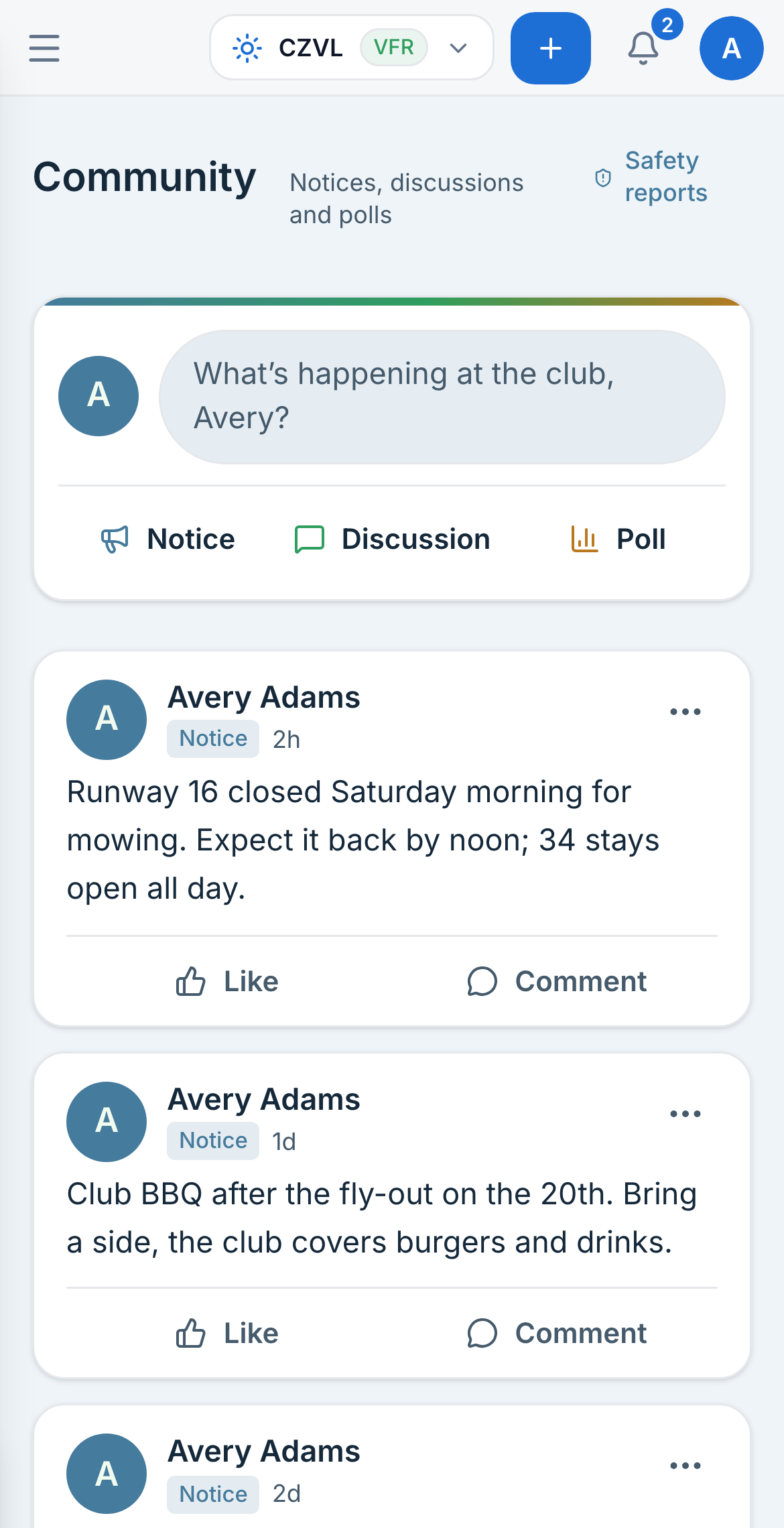
The club feed on a phone, with notices from the club.
  • A booking confirmation with a calendar file, to the pilot and to the instructor.
  • A reminder before a booking, and a nudge afterwards to close the flight plan.
  • A notice when a booking moves or is cancelled, with the reason.
  • A reminder before a medical, a certificate or an endorsement lapses.
  • Broadcasts to everyone, to a role, or to a list you pick.
  • A club feed of notices, discussions and polls, with photos and comments.
  • Your own topic labels on posts, and a filter down the side.
  • Staff post, or open posting to members. A notice stays with the club either way.
  • Safety reports kept apart from the feed, and filed anonymously when the member chooses.
  • A member who files a report is told what was done about it.
  • Email or text, each switchable per member, with a club-wide off switch for texts.
  • A private calendar link for a member's own bookings, and one for the whole club's.

Configure roles, permissions, and access around your current operations, and change it anytime.

100+ club settings and 90+ role permissions put your operation in your hands. Set booking limits, dispatch checks, maintenance alerts and billing preferences. Define what each team can see and do, who can assign roles, and which checks staff may override.

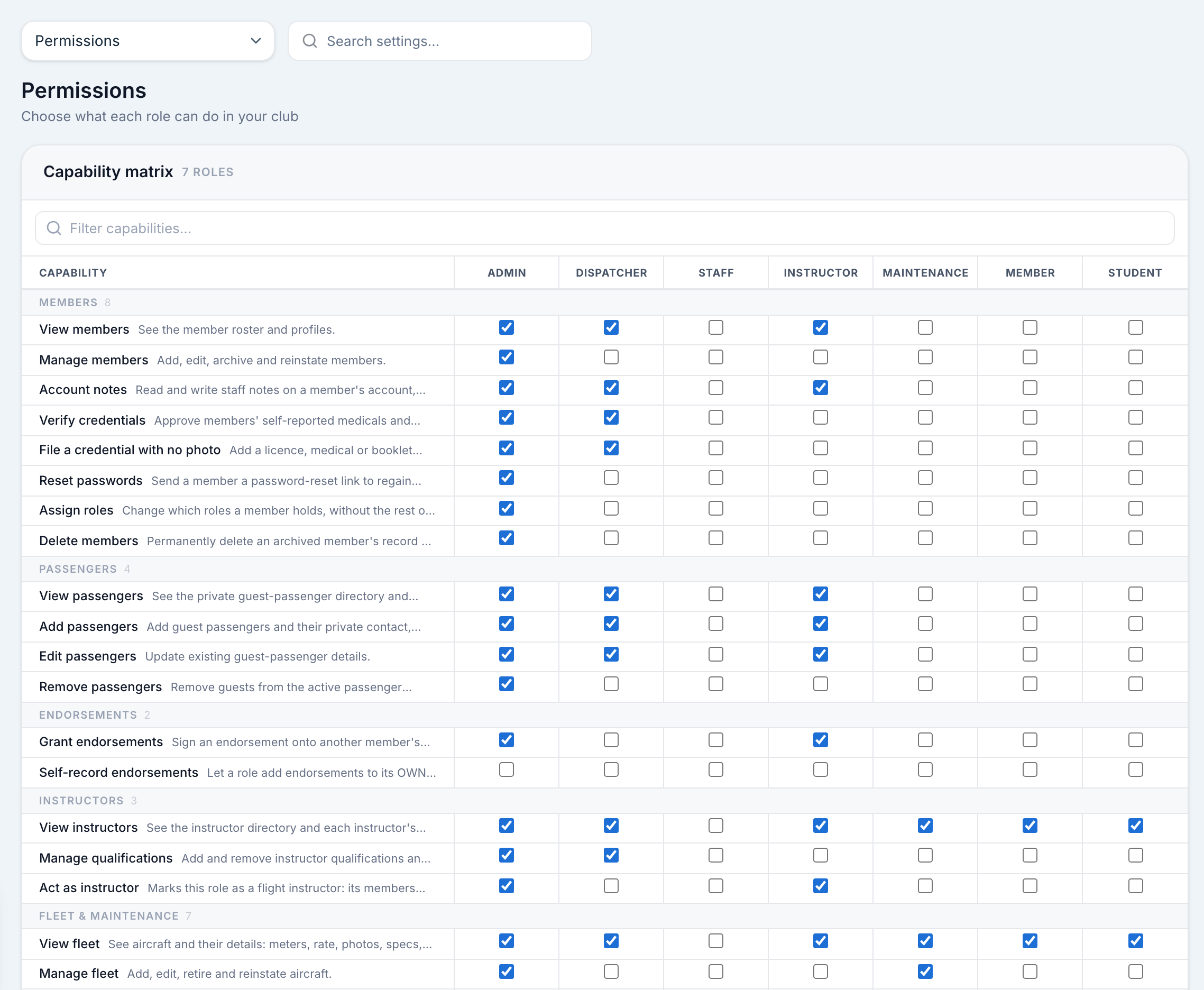
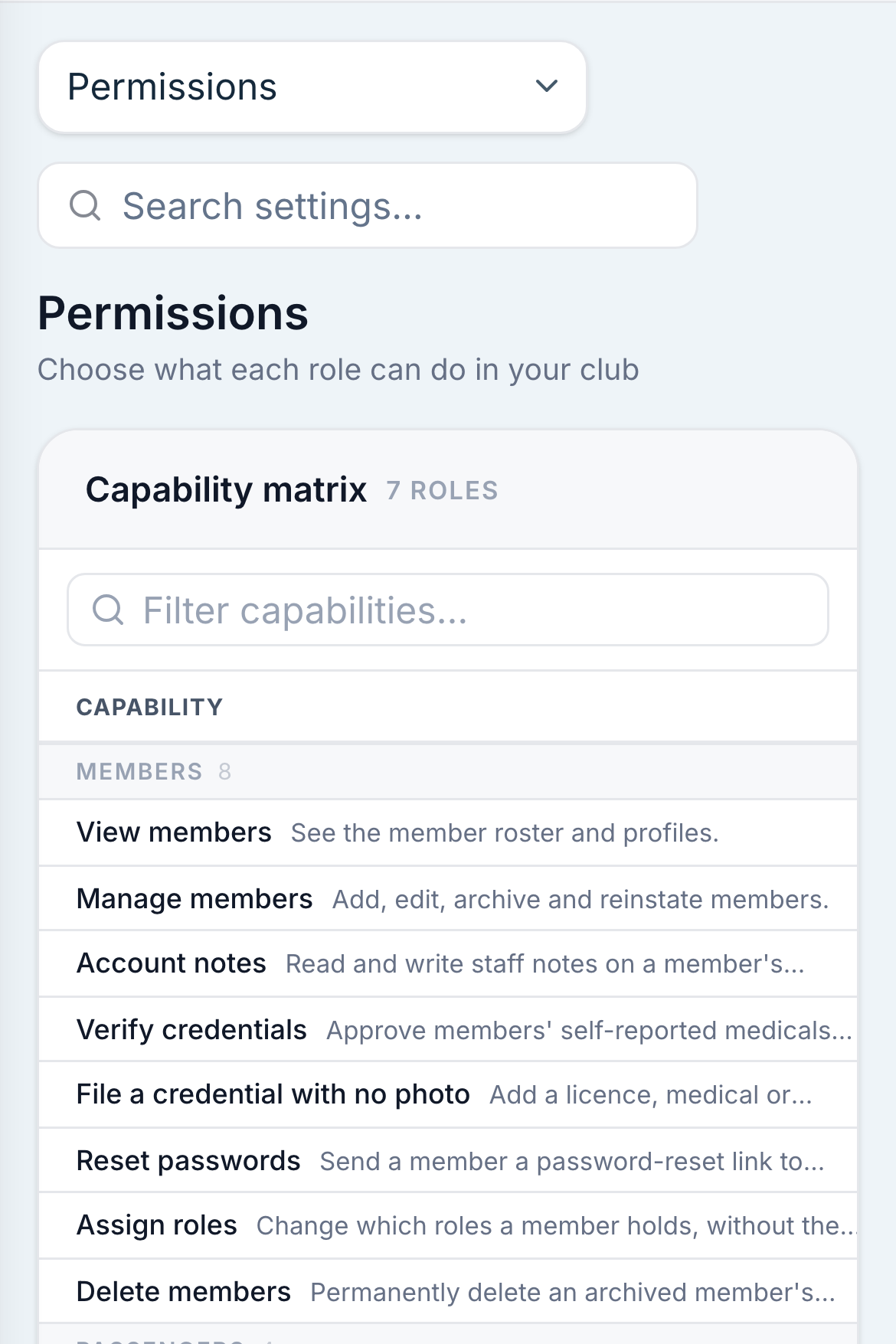
The capability grid, one capability per row and one column per role.
Roles & permissionsDefine responsibilities, control access and track overrides.
  • Organize roles around your club

    Your roles, named what you call them, nested, and coloured.

  • Give each team the access they need

    Decide what each role may see and do, one line at a time.

  • Choose who can assign responsibilities

    Decide which roles may hand out which roles.

  • See who made an exception and why

    Every override written down with the reason the person gave, read back by who and when.

Booking & operating rulesSet booking limits, operating hours and pre-flight checks.
  • Decide which booking checks your club needs

    Booking checks on or off, each with its own override switch.

  • Set booking limits that work for your members

    Booking windows, lead times, cancellation notice, and how much a member may hold at once.

  • Plan around your club's hours and seasons

    Operating hours, and seasons that come back every year.

  • Guide pilots through your own pre-flight checklist

    Your pre-flight checklist, in your own wording.

Club preferences & brandingAdapt terminology, records and sign-in to your operation.
  • Set up the details your club relies on

    Your cancellation reasons, your member numbering, your inspection thresholds.

  • Use the aviation terms your team knows

    Snag or squawk, category or class. The software uses your regulator's words.

  • Welcome members with your club's branding

    Your own sign-in page, carrying your name, your logo and your colour.

  • Find the setting you need quickly

    A search across the settings that finds a switch by the words you would use for it.

More of the operation.

The other parts of the day, shown as they are in Azimuth.

Who Azimuth is built to help.

Flying clubs

For member-led operations that need shared aircraft, clear rules and less time spent explaining the same decision twice.

  • Members can book with confidence.

    The rules you set are checked before a booking is taken, so the answer is clear before anyone drives to the field.

  • Every refusal has a reason.

    Members see the specific rule that stopped the booking, while staff retain the context to help when they need to.

  • A completed flight closes the loop.

    Completed flights update hours, charges and aircraft records, reducing manual work for your club's staff.

Flight schools

For training operations that need every lesson, student and instructor to stay connected from booking to sign-off.

  • Lessons stay attached to the booking.

    Grades, checkrides and written exams sit on the flight they belong to, rather than in a separate training record.

  • Progress is visible at a glance.

    Every student’s milestones and remaining work are held on one roster for the whole instructional team.

  • The schedule reflects the term.

    Instructor availability and course plans are set ahead, then drawn directly into the day’s board.

FBOs

For operations that need dispatchers and maintenance teams to stay coordinated on aircraft availability, active flights and expected returns.

  • One board keeps the day moving.

    Dispatch sees what is out, what is due back and what still needs attention without rebuilding the picture between shifts.

  • Connect dispatch and maintenance.

    Dispatchers and maintenance teams see the same current airworthiness and maintenance information.

  • Exceptions remain accountable.

    When somebody overrides a rule, the reason is recorded with the decision for the next person who needs to understand it.

See how your club would run on Azimuth.

We'll walk through a typical Saturday for your club, using your aircraft and rules. Jordan stays with you through setup and cutover.

Book a walkthrough

Walkthroughs and demos run from 8am to 8pm, Mountain time.