
Your move to Azimuth is supported from the start.
Frictionless, simple and predictable.
We help bring your records across from your previous system, set up your club and train your people. We encourage and support learning through interactive demonstrations and seminars, available virtually or in person by arrangement, and support you through a go-live date of your choosing.
Walkthrough
Explore your workflows.
Club & data migration
Bring across what you need.
Configuration & training
Prepare your operation.
Supported learning
Practice with our team.
Go live
On your chosen date.
What comes across
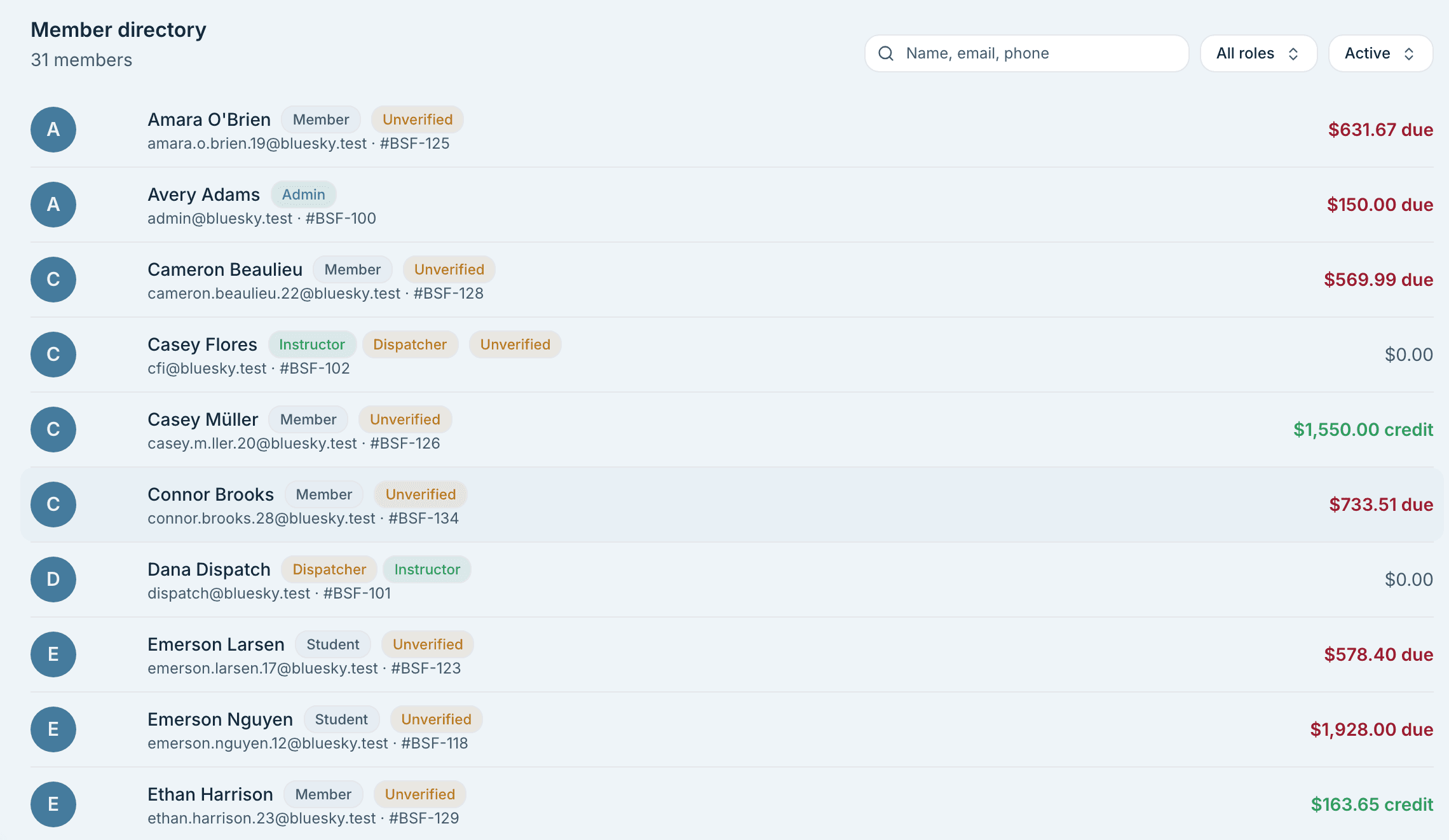
We plan your migration around the data your club needs from its previous system, whether it is in software, spreadsheets or paper records. The examples below are a starting point. Your migration specialist works with you to identify any other records to bring across and how to move them into Azimuth.
Examples of what we can migrate
Members and credentials
Members, and what each one is allowed to fly.
Licences, medicals, endorsements and aircraft checkouts.
Aircraft and maintenance
Aircraft, their hours, and where each one stands against its next inspection.
Flight and club history
Flight history, back as far as your records go.
The loading sheet that went with each of those flights.
Members who left stay in the history without getting an account.
Six stages, from what you use now to cutover.
See what your club provides, what our team handles and where we work together. Training and practice happen before your chosen go-live date.
You send what you have
You do thisAn export, a spreadsheet, or photos of your paper records.
Your club is brought across
We do thisMembers, aircraft, maintenance status, and your flight history.
Your rules are set up with you
TogetherYour booking rules, checks, and staff overrides.
Your people are trained
We do thisDispatchers, maintenance teams and instructors learn using your club’s workflows.
Both systems run side by side
You do thisYour current system runs alongside Azimuth while everyone practices. Take as long as you need.
You pick the cutover date. Nothing is switched off before it.You cut over on your date
We do thisYour team and members begin using Azimuth for bookings, aircraft status and flight billing.
Transitioning your club to Azimuth is driven by learning and support.
Learning a new system is part of the move. Your team gets guided training and a learning period alongside your current system before you choose to go live.
Seminars that fit your team
Virtual and in-person seminars are available by arrangement for new clients. Discuss the format, attendees and scheduling with your migration contact.
Virtual seminars
Bring your team together online for a guided session using your club’s workflows, with time to ask questions as you go.
In-person seminars at your club or airport
Arrange hands-on training where your team works. We plan the session around the people attending and the areas they need to learn.
Relevant to each person’s role
Cover bookings and flight check-in with dispatchers, aircraft status with maintenance teams, lessons with instructors, and billing and permissions with administrators.
A learning period at your club’s pace
Keep your current system in use while your team practices in Azimuth. Work through familiar bookings, flight check-outs, returns and billing, and bring questions to the people helping you switch.
Before choosing your go-live date
- Review the imported information with your migration specialist.
- Check your booking rules, roles and permissions together.
- Give staff time to practice their everyday tasks and resolve questions.
- Plan member access and agree when the club will start using Azimuth.
Help your members make the move
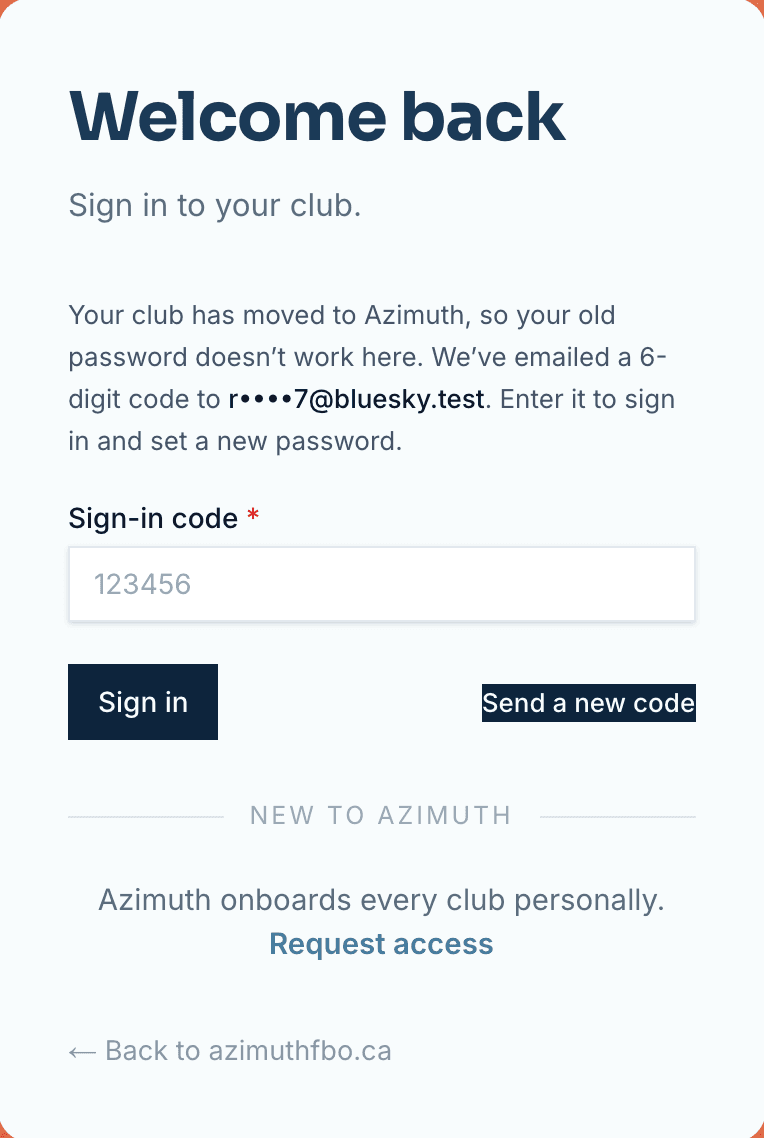
Introduce members in stages when your club is ready. Imported members sign in with an emailed code and review their own information. Corrections are flagged for club staff, with the member’s explanation attached.
Sign in with familiar details
- A member who tries their old password gets a code emailed to them on the same screen.
- Members who signed in under an old handle can keep typing it.
Confirm what came across
- Each member confirms their own contact details, licences, medical, endorsements and checkouts.
- Members confirm their phone number so your club has current contact information.
- A member who holds a licence the club never had can add it.
Review together, then welcome the club
- Authorized staff review licence documents and record their verification.
- Start with a small group of members, then open onboarding to the whole club when you are ready.
What it costs
Pricing is dynamically tailored to your club’s needs and size, including your fleet, membership and team. We work with you to put together a competitive price for your operation, with setup and migration included.
- Your quote reflects your aircraft, organization size and operating needs. Discuss your club and rollout plans with us to get a tailored price.
- Bringing your existing information across and setting up your club are included.
- Discuss any virtual or in-person seminar arrangements when planning your rollout.
How long it takes
Your club could be live on Azimuth in as little as 14 days. We plan the move around your existing records, setup needs and your team’s readiness. You choose the go-live date, with time to practice and ask questions.
- Review the scope and agree the next steps with your migration contact.
- Make time for your team to confirm imported information and operating rules.
- Arrange seminars and a learning period around staff availability.
- Choose the go-live date after your team has had time to practice and ask questions.
You will always know who to call.
A small team moves every club. You have one named contact from the first conversation, and they stay with you through the cutover and after it.
Talk through your current setup, training needs and timing. Leave with a clearer picture of what moving your club involves.
Walkthroughs and demos run from 8am to 8pm, Mountain time.
Migration specialists
They bring your members, aircraft, hours and history across, and check the totals against what you sent before you see them.
Walkthroughs and setup
Run on your own aircraft and your own rules, with whoever you want in the room. Your rules are set up with you, one at a time.
The people who build it
When you have a question that needs an engineer, our team connects you directly with a member of our software engineering team.